
Choose ASA for outdoor parts that need better UV and weather resistance than ordinary PLA or PETG can provide. Skip it when you cannot manage enclosure stability, ventilation, heated-bed demands, and warping control; an easier material may produce a more reliable result.
Compare ASA with PLA, PETG, and TPU in the filament-by-job matrix. For dashboard parts, see the hot-car interior guide. Check the printer and spool compatibility guide before loading a filament or planning an ASA enclosure.
ABS or ASA for outdoor 3D prints?
For most outdoor parts, choose ASA: it holds up to sun and weather better than ABS. Both need an enclosure and ventilation, so pick ABS only for indoor parts where UV does not matter.
Match the material to the exposure and setup you actually have, not a blanket strength claim. If PETG might be enough, read ASA vs PETG for an outdoor planter before committing to ASA setup work.
Can you print ASA without an enclosure?
Do not buy ASA on the assumption that it will print like PLA on an open machine. Prusa identifies significant warping and says large ASA parts need an enclosure. Check the exact printer and filament instructions before deciding whether your intended part fits the setup you have.
The Prusa ASA guide distinguishes outdoor suitability from printing requirements. Validate larger outdoor parts separately because ASA warping changes with size and geometry. Use the enclosure and ventilation setup specified by the printer and material guidance.
If your setup is ready for ASA, compare OVERTURE and Polymaker profiles. When your setup is still being prepared, reconsider the material requirements before ordering; PETG may be easier to accommodate, and its outdoor requirements differ from ASA.
When ASA is the right choice
ASA fits brackets, covers, mounts, and other parts exposed to sunlight or changing weather when the printer can keep the build environment stable. Its outdoor advantage is only useful if the part is printed successfully and the setup is appropriate for the material.
ASA is a setup decision as much as a material decision. Large flat sections and drafts can pull corners from the bed, so a printer with an enclosure or a carefully controlled environment is part of the recommendation.
When should you choose something else?
Choose PLA for easy indoor models, PETG for many functional parts without an enclosure, or TPU when flexibility is the requirement. ASA is a poor fit when outdoor exposure is not important enough to justify the enclosure, ventilation, and warping work.
- Use PLA when simplicity and detail matter more than outdoor durability.
- Use PETG for functional indoor parts with useful toughness and a more approachable setup.
- Use TPU when the part needs controlled flexibility.
Printer, enclosure, and ventilation fit
Manufacturer starting ranges commonly place ASA around 220–275°C at the nozzle and 90–110°C at the bed, with some profiles around 240–260°C and 90–110°C. Plan enclosure stability, controlled airflow, and ventilation according to the printer and material maker’s safety instructions.
An enclosure controls drafts and temperature; it is not an emissions guarantee. Keep ASA printing away from bedrooms and occupied spaces, follow the printer and material maker’s safety data, and use source capture or exhaust plus adequate room ventilation where the instructions call for it. Do not describe the setup as “safe” based on enclosure alone.
| Check | ASA starting point | Why it matters |
|---|---|---|
| Nozzle | About 220–275°C in Prusa’s broad table | Use the exact spool profile; pigment and hardware affect the useful range. |
| Bed | About 90–110°C | Large parts need consistent heat and a clean first layer. |
| Cooling | Often low or limited | Too much cooling can increase thermal stress and warping. |
| Environment | Enclosure recommended by common manufacturer guidance | Draft control and ventilation planning are part of the setup, not optional accessories. |
Use the spool maker’s profile alongside Prusa’s material guide. Follow the printer and material manufacturer’s safety instructions for enclosure use and ventilation.
What should you buy for ASA?
Compare OVERTURE ASA with Polymaker ASA after checking your enclosure, ventilation, and printer temperature limits. The red Polymaker spool is a color alternative to the black one, with the same material profile and performance requirements. Set the part’s continuous-use temperature from the application requirements, alongside softening data.
Check the selected variant, seller, and price on Amazon before ordering. Buying through our Amazon links costs you nothing extra and helps keep FilamentSetup free. As an Amazon Associate we earn from qualifying purchases. How we assess products.
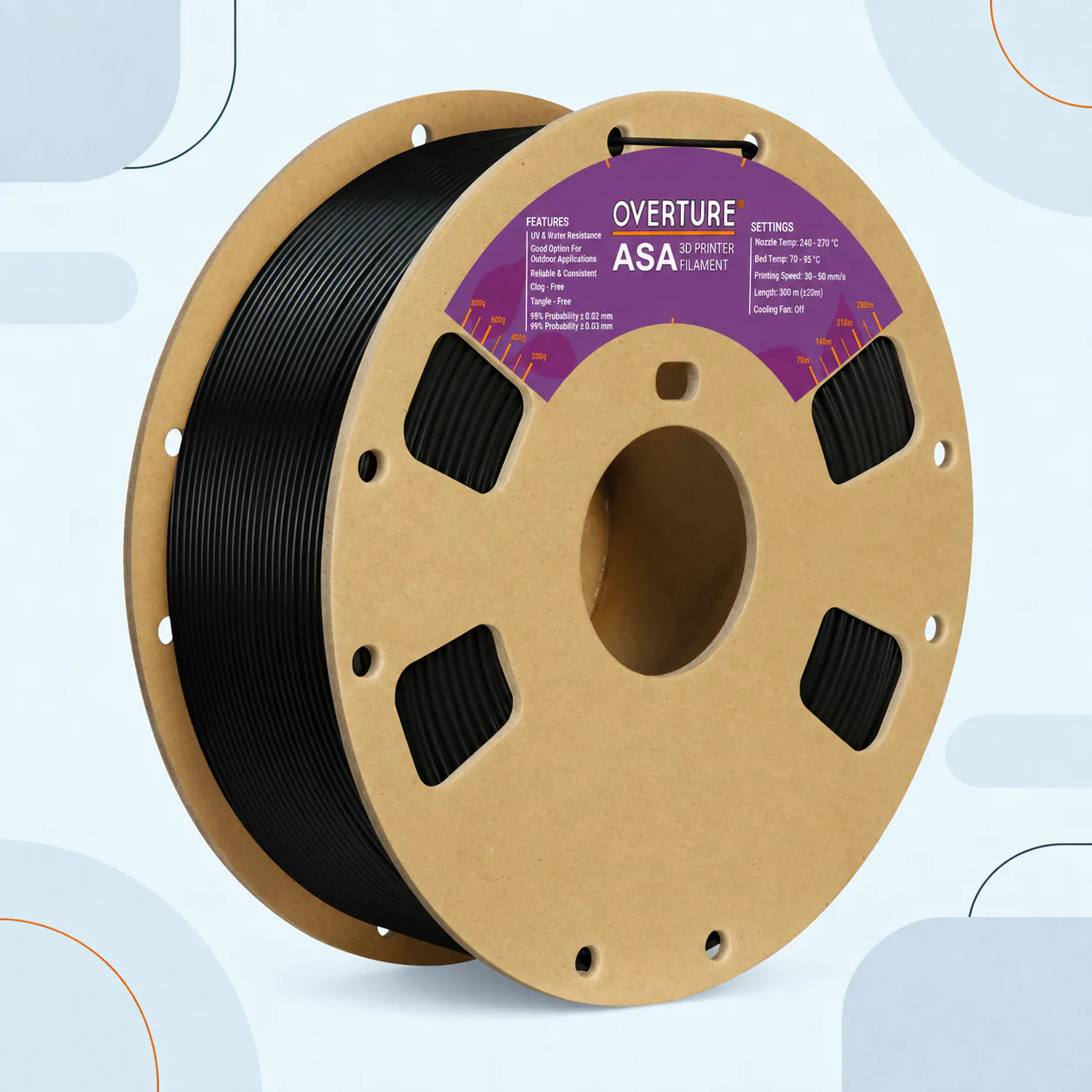
Manufacturer-sourced reference · check the selected color
Published OVERTURE ASA profile
OVERTURE ASA Filament, 1.75 mm, Black, 1 kg
View on AmazonSkip this if: the exact US child changes brand, model or line, material or capacity, diameter or weight, color, or generation.
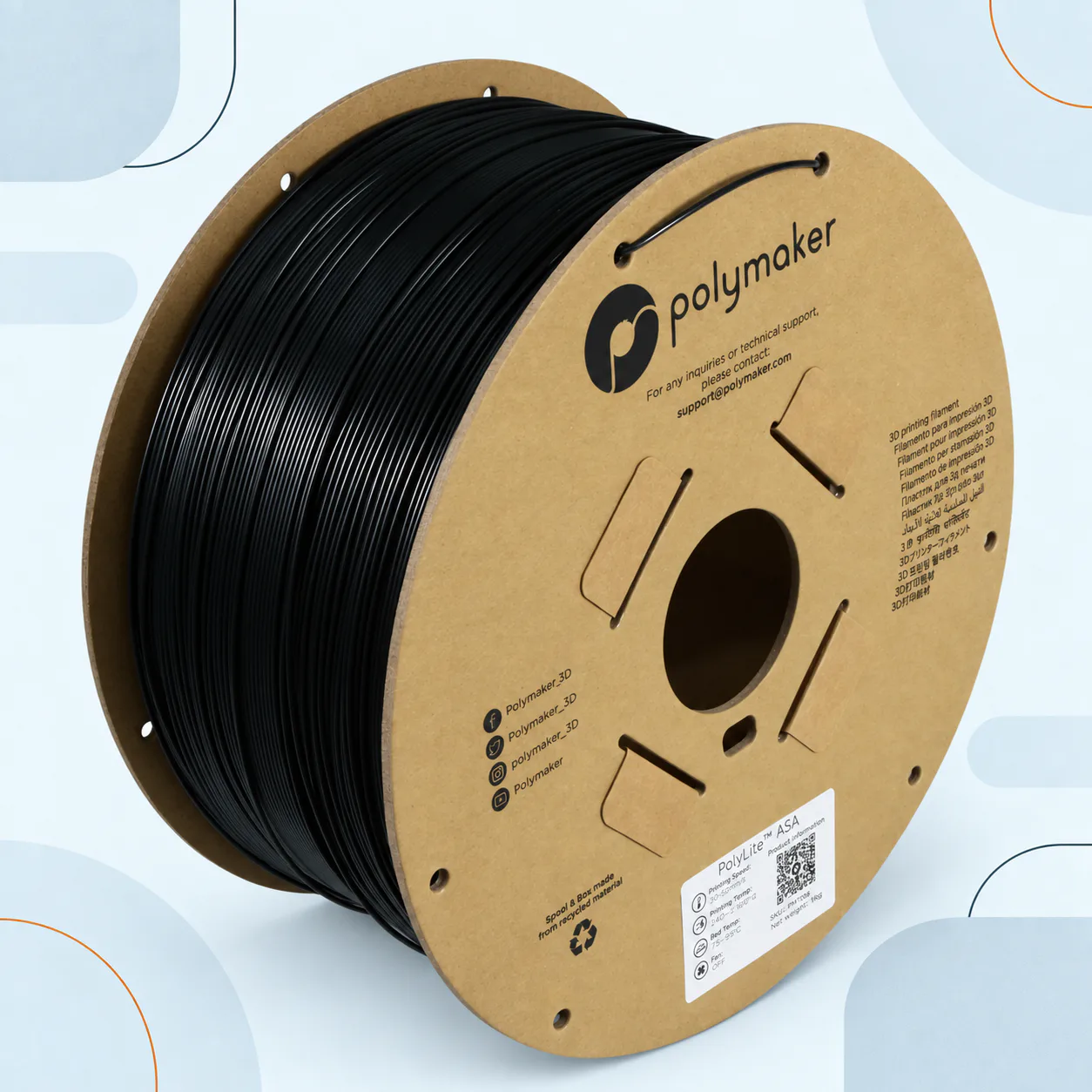
Manufacturer-sourced reference · check the selected color
Established Polymaker ASA profile
Polymaker ASA Filament, 1.75 mm, Black, 1 kg
View on AmazonSkip this if: the exact US child changes brand, model or line, material or capacity, diameter or weight, color, or generation.
Prefer red? The Polymaker red 1.75 mm, 1 kg variant belongs to the same comparison family; color selection does not change the material profile or strength.
| Spec | OVERTURE ASA | Polymaker ASA Black |
|---|---|---|
| Listing variant | Black · 1.75 mm · 1 kg | Black · 1.75 mm · 1 kg |
| Nozzle / bed | 240–270°C / 70–95°C from OVERTURE. | 250°C / 90°C are Amazon listing cues; match the supplied Polymaker ASA profile. |
| Speed / cooling | 30–50 mm/s; cooling fan off in the manufacturer table. | 50 mm/s in the listing. Confirm cooling in the exact product profile. |
| Enclosure | Control drafts and warping; check the printer and material instructions. | Polymaker explains that larger parts may need an enclosure or heated chamber. |
| Ventilation | Plan ventilation before printing; pair the enclosure with the ventilation plan specified by the manufacturer. | Same workspace requirement; follow the safety data sheet. |
| Drying / spool fit | Confirm current drying schedule and spool dimensions before buying a dryer. | Confirm product line and spool heat limit before applying a drying schedule. |
| Choose it when | Your printer supports the published OVERTURE profile. | You have an established Polymaker ASA profile; choose red or black for appearance. |
Check the exact profile before printing: OVERTURE ASA settings; Polymaker ASA enclosure guidance. Use the manufacturer range as the starting profile, then tune for your printer.
ASA vs PETG for an outdoor planter
Choose ASA when the planter will sit in sun and rain for the long haul and your printer can support enclosure, ventilation, and warping control. Choose PETG when exposure is limited, the planter is sheltered, or your setup cannot support ASA reliably. Neither material makes a thin wall or weak attachment safe by itself; design and placement still decide the job.
Make the skip case explicit: if the planter will live outdoors but the printer cannot control ASA’s environment, PETG may be the more honest route for a smaller or sheltered part. If UV and weather life are the main requirement, do not pretend an easier PETG print is the same material decision.
Warping and first-layer control
Reduce ASA warping by controlling drafts, warming the build environment, preparing the bed, and using a brim when the part benefits from extra contact. Large footprints still need realistic expectations; pair temperature changes with draft control, bed preparation, and part-specific adhesion.
Let the enclosure and bed reach a stable condition before starting a large print. Avoid opening the door during critical early layers, and check that the first layer is neither over-compressed nor starved. A smaller test part can expose a poor profile before a long job.
Drying and handling
Keep ASA sealed with desiccant and dry it when the spool’s condition or manufacturer instructions call for it. Moisture can show up as rough surfaces, popping, or inconsistent extrusion, but check temperature, nozzle condition, and airflow before assuming storage is the only cause. If you need a heated dryer, follow the filament dryer job guide. For spool dimensions and cardboard-spool limits, see the AMS and dryer spool-fit guide. For a mixed-material, four-spool comparison, see the Creality Space Pi X4 vs. SUNLU S4 breakdown.
Before you buy an ASA spool
Confirm that the printer can reach the required nozzle and bed temperatures, that the enclosure can control drafts, and that your workspace supports the manufacturer’s ventilation guidance. Then verify diameter, spool dimensions, net mass, and the exact ASA profile for the product.
- Check 1.75 mm or 2.85 mm diameter and the printer’s temperature limits.
- Check enclosure clearance, bed surface compatibility, and power requirements.
- Record the exact manufacturer, product line, color, and successful profile.
More ASA questions
Should an outdoor planter use ASA or PETG?
Use ASA when long sun and rain exposure justify the enclosure and ventilation work. Use PETG when the part is sheltered or the printer cannot support ASA reliably.
Related material decisions
Choose ASA when the part needs outdoor capability and the printer can support its setup. Compare its enclosure and ventilation requirements with PETG’s simpler functional path and PLA’s easy indoor path before buying.
- PLA guide: the easy indoor default
- PETG guide: tougher than PLA without ASA’s setup demands
- TPU guide: flexible parts and feed-path limits
ASA questions
Can you print ASA without an enclosure?
Small parts may sometimes print, but significant warping is a known ASA problem and an enclosure is the dependable starting point. Follow the filament and printer maker’s guidance.
Is ASA safe to print indoors?
Do not reduce this to a yes/no promise. ASA printing can emit particles and chemicals. Use appropriate controls, ventilation, and the current printer/material instructions, and keep it out of bedrooms and occupied living spaces.
Is ASA better than PETG outdoors?
ASA is the deliberate choice when UV and long weather exposure drive the decision. PETG is easier when the setup cannot support ASA or exposure is limited.
Does ASA need drying?
It can. Use the exact spool maker’s current schedule and dry before blaming a print profile.
Is ASA the same as ABS?
No. They share enclosure and warping challenges, but ASA is commonly chosen for improved UV and weather resistance.